The tool handles the calculations I kept redoing by hand during conceptual design:
- Airspeed for maximum lift-to-drag ratio
- Flight endurance from battery parameters
- Static stability margin
- The tedious intermediate steps between them
Version 1: scripts
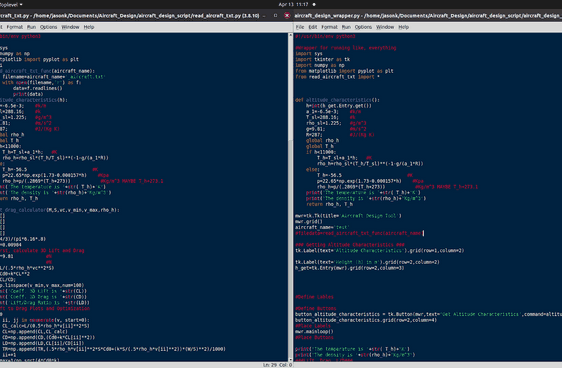
I started by porting my senior-year MATLAB code from WPI. One script collected user inputs and called the analysis, and a second held all the function definitions. Along the way I learned NumPy and how to pass data between modules that don't share MATLAB's single workspace.
Version 2: a GUI
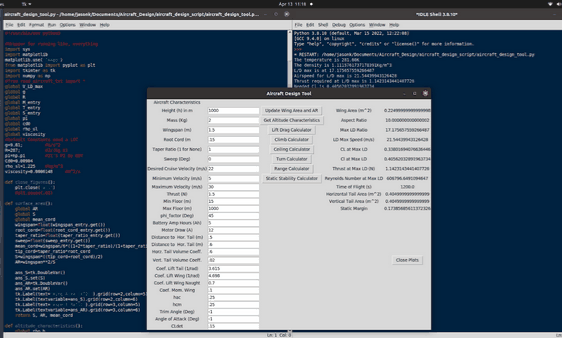
Next I built a graphical interface with Tkinter. It takes user input, runs only the analysis you select, and shows results in the same window. Default values can be preloaded so you change only the parameter you're sweeping, and a single button clears every generated plot.
Example output
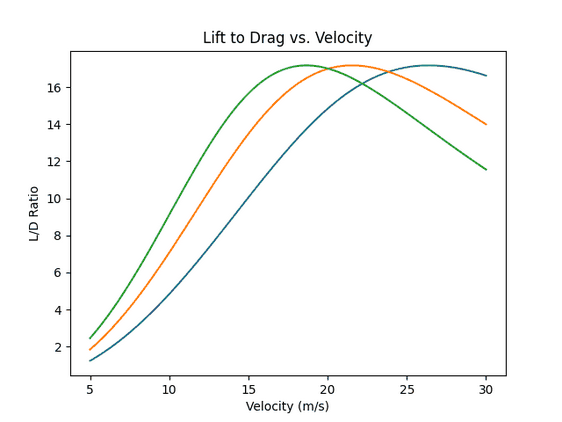
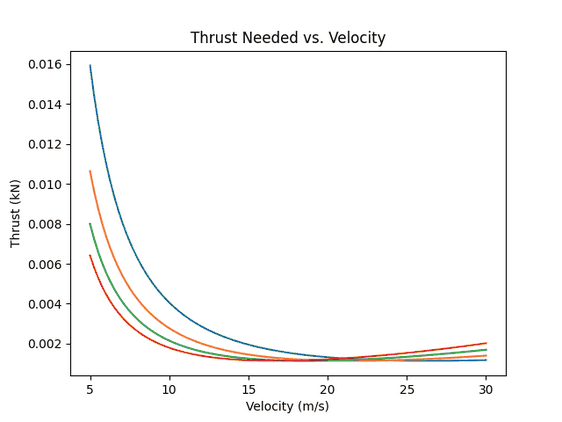
These plots come from the mass trade study for Project Savegull. They show how aircraft mass moves the maximum-L/D airspeed and the thrust required to fly at it.
Bonus: a Star Trek–style voice assistant (2020)
At the start of the pandemic I wanted to learn more Python. I liked Alexa but not its privacy trade-offs, so, inspired by the Star Trek computer, I wrote my own. It listened in a loop for commands and, honestly, was mostly a long chain of if-else statements. It could read the weather and top headlines, estimate my commute, and, like any good captain, declare red alert by playing the battle-stations klaxon from Voyager.
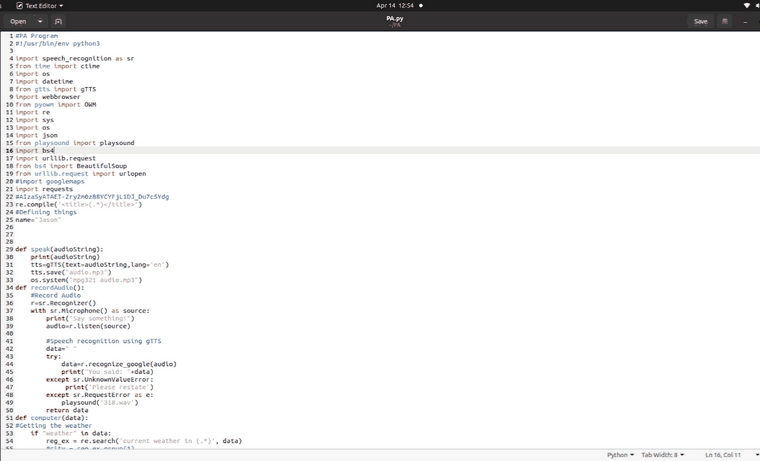
Its modern successor is my personal assistant.